
Photo editing, step by step
How to try an outfit from another photo
Use AI Outfit Changer for virtual try-on with another person’s photo or a clothing reference. Follow the illustrated upload, reference and review steps.
Upload the person you want to dress
Open AI Outfit Changer and upload the subject photo. A full-length image works best when you want to preview a complete outfit.
Keep in mind
Choose a pose where arms, bags or furniture do not hide the clothing area.
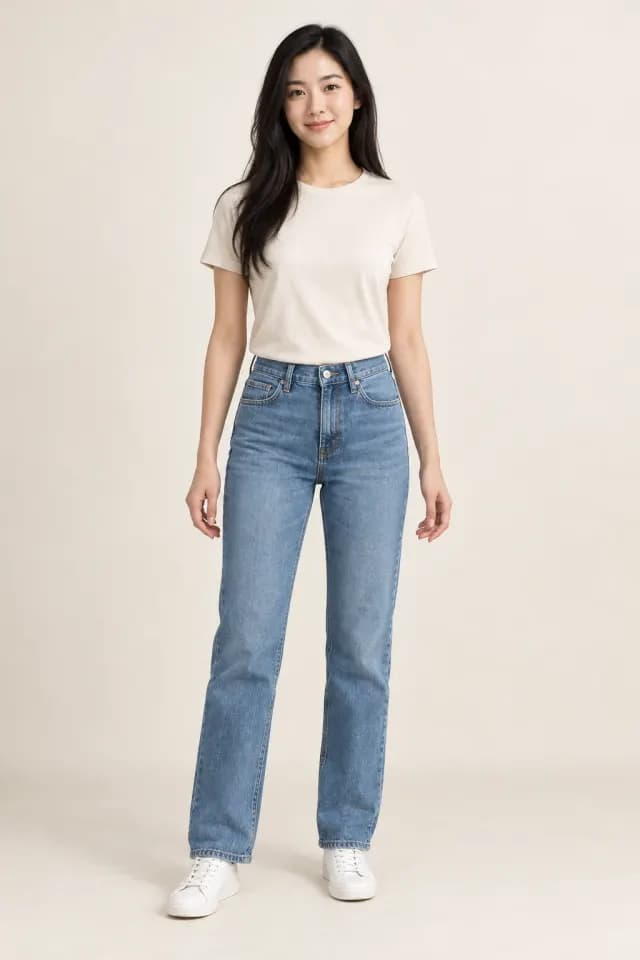
Inside the editor · Step 1
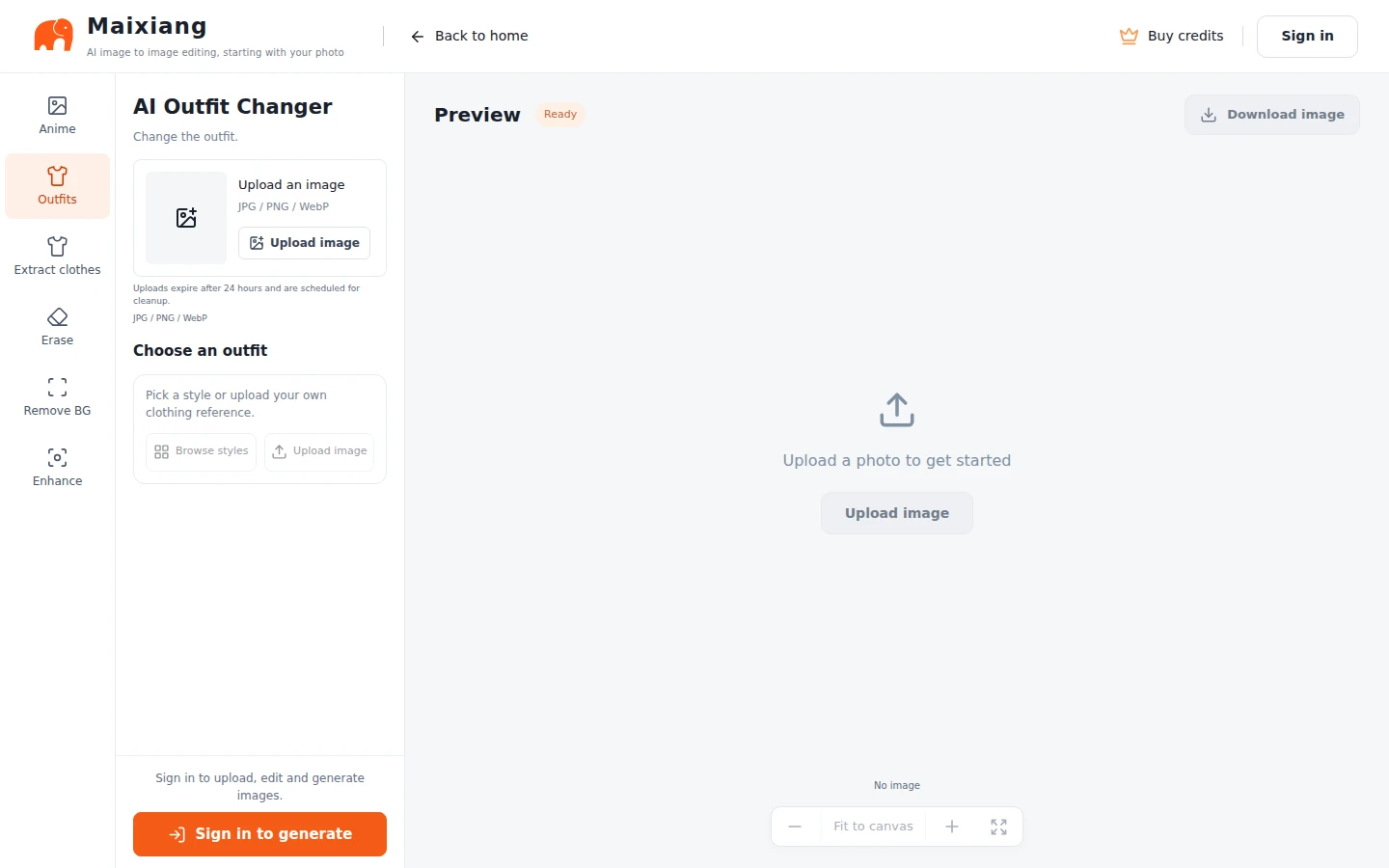
Add the outfit reference
Upload a second photo showing the clothes you want to try. The reference can show another person wearing the outfit; there is no need to extract the clothing first. A clothing-only image also works.
Keep in mind
Use a reference with a clear view of the neckline, sleeves and hem. You can also use a suggested outfit style.
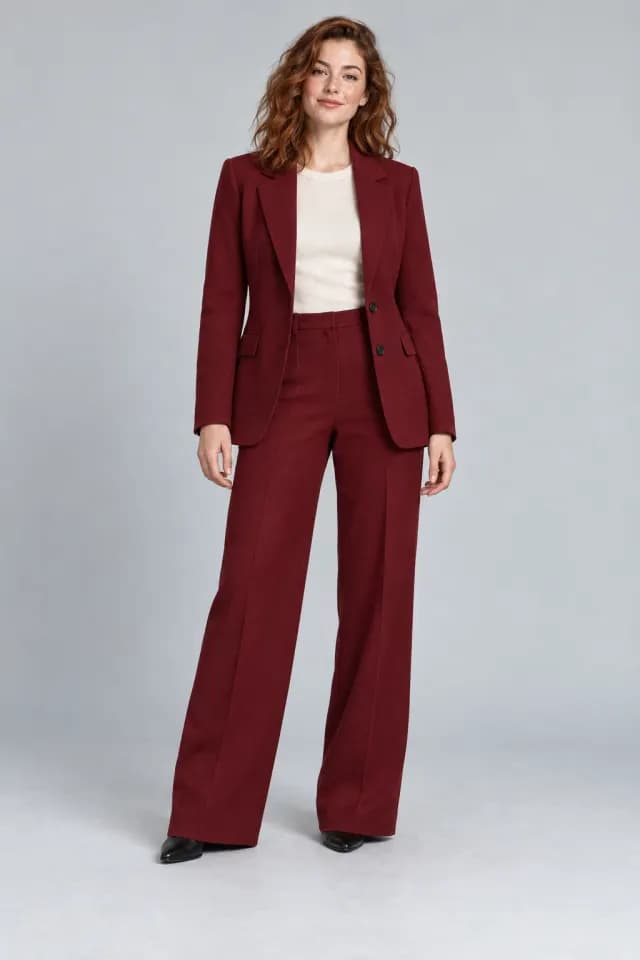
Generate and review the try-on
Generate the outfit change, then compare the result with both photos. Check the subject’s face and pose, and inspect how the reference clothing has been adapted.
Keep in mind
Virtual try-on is a styling preview, not a measurement or a guarantee of garment fit.
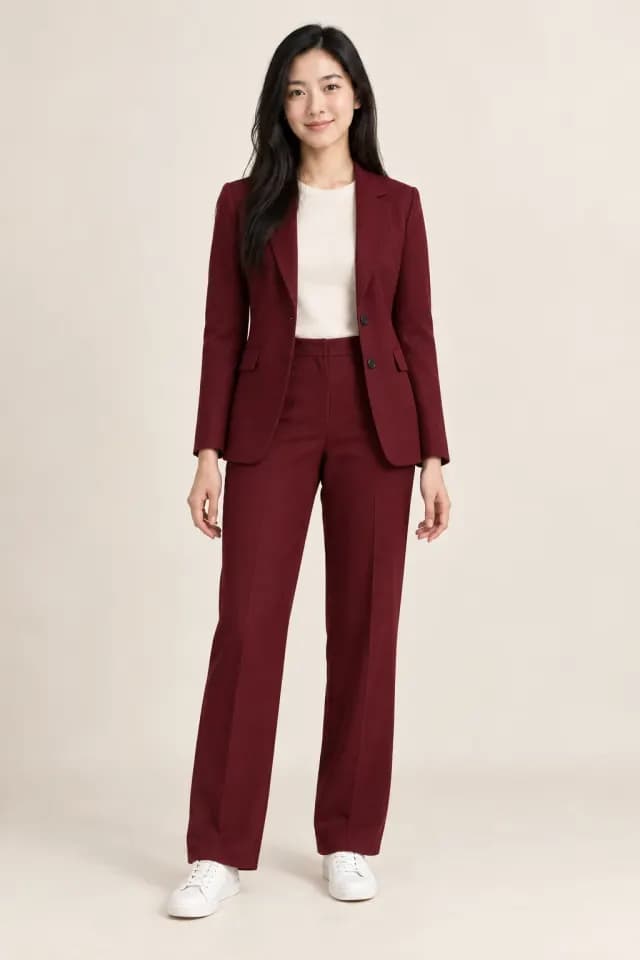
AI-created source and reference photos. The displayed outfit change is an real result.
Common questions
A few answers before you start.
How do I change clothes in a photo with AI?
Upload the person you want to edit, then add an outfit reference or choose a suggested style. Generate the change and compare the face, pose and clothing against the original and reference images.
Can I copy an outfit from a photo of another person?
Yes. Use the other person’s photo as the outfit reference. The subject photo determines who is being dressed, while the reference shows the clothing to try. No separate clothing extraction step is required.
Do I need a full-body photo for virtual try-on?
Use a full-body photo for a complete outfit. A closer portrait can work for an upper-body change, but clothing outside the frame cannot be shown reliably. Keep the intended clothing area visible.
Can AI virtual try-on tell me which size to buy?
No. The result is a visual styling preview, not a garment measurement or fit assessment. Use the seller’s size chart and your own measurements when choosing a size.